ShaderCam
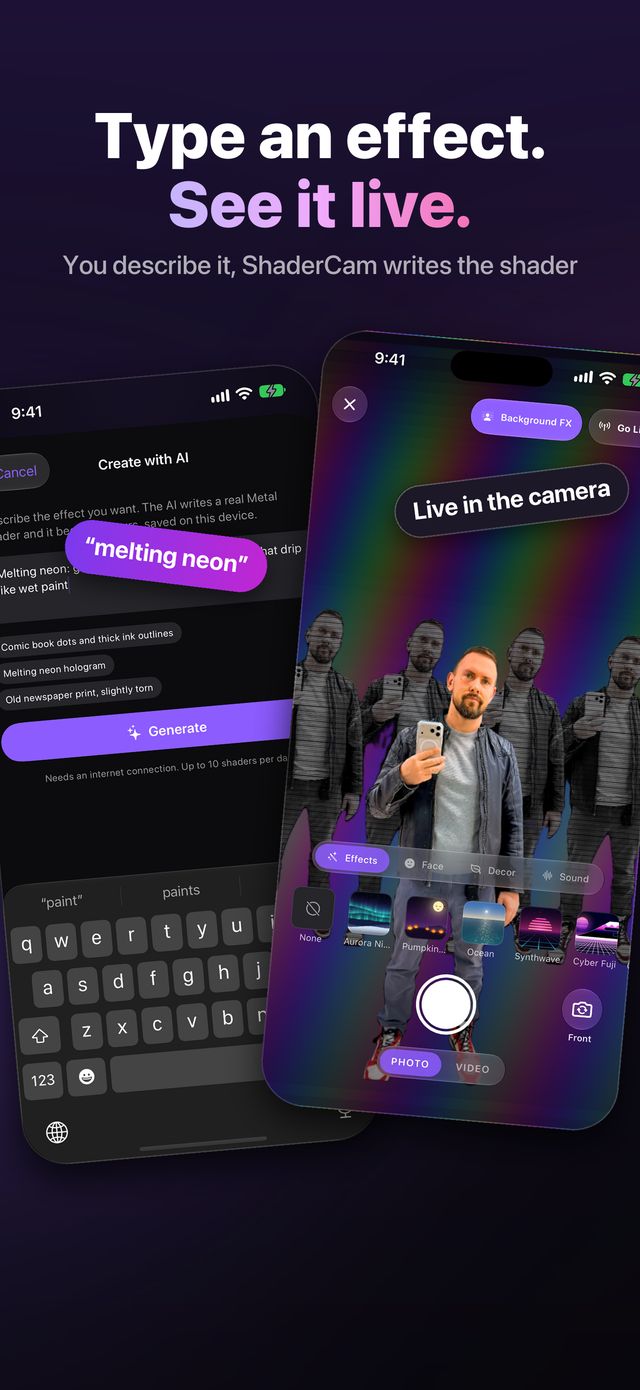
Type an effect. See it live.
Describe any look in plain words — “thermal camera”, “melting neon” — and ShaderCam writes a brand-new GPU shader for it, compiles it on your iPhone and runs it live: in the camera, on your photos and on every frame of a video. Next to it: 30+ hand-written effects, one-tap cutout and seasonal decor.
Photos, camera, video and AI
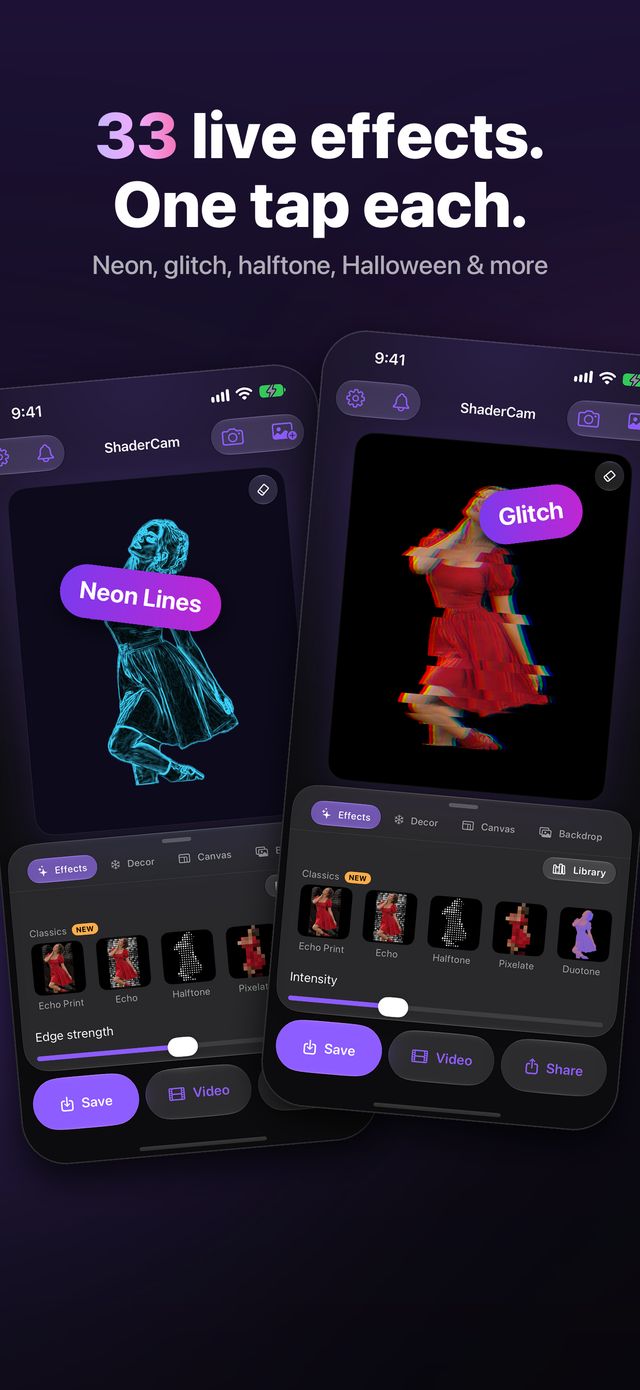
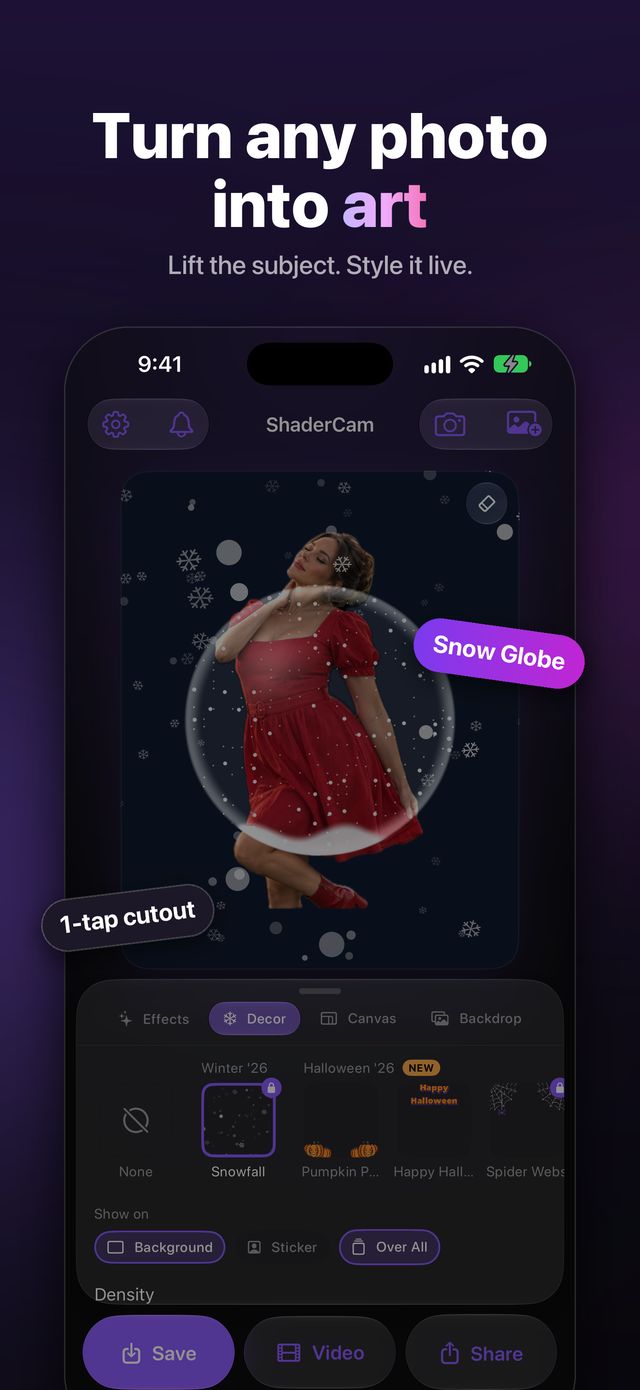
One app for photos, video and the camera
One-tap cutout
Pick a photo and the subject — a person, a pet or an object — is lifted from its background automatically. Choose which subject to keep, touch up the edges, or style the whole photo.
30+ live effects
Echo Print, Glitch, Neon Lines, Halftone, Duotone, CRT, Dither, Snow Globe, the Masters (Van Gogh, Monet, Seurat, Mondrian) and more. Every effect has its own sliders and renders live.
Create with AI
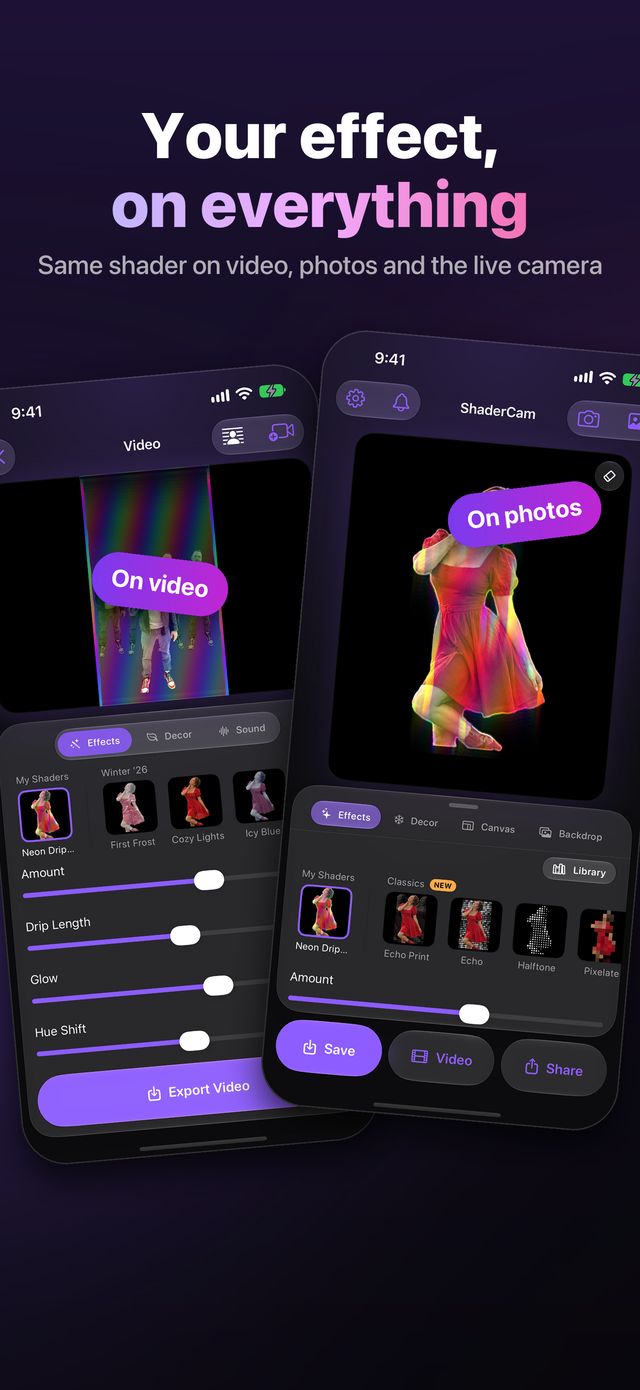
Describe a look in plain words, like “holographic rainbow foil with sparkles”, and ShaderCam writes a brand-new live shader for it. Tweak it with sliders, keep it in My Shaders and use it in the camera, on photos and on videos.
Video editor
Apply effects and animated decor to any video and export it with the original sound. Or turn a styled photo into a 1–60 second video with a moving backdrop.
Live camera
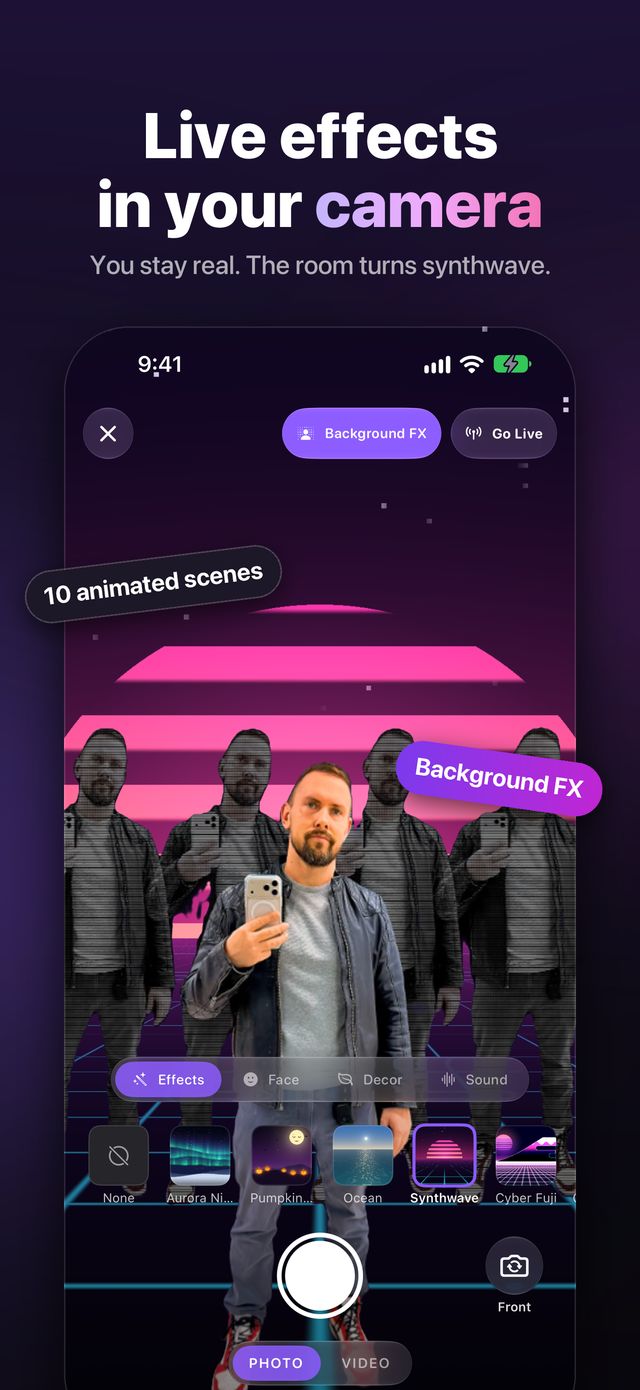
Shoot photos and videos with the effect applied live. Background FX keeps you natural while everything behind you turns into an animated scene — Ocean, Synthwave, Digital Rain, Cyberpunk City and more.
Go Live
Stream the styled camera with sound straight to YouTube, Twitch, Facebook or any RTMP server.
Effects that hear you
Glitch tears harder on a shout and neon flares on the beat. Voice effects — chipmunk, deep, robot, alien, radio, echo — and a clean-voice filter work while you record, stream or edit.
Seasonal decor
Falling leaves, rain, storms and lightning, fog rays, birds, snow and frames — behind the subject, over it, or both. On video they move. New packs arrive every season.
Any size, ready to post
Square, 4:5, 9:16 stories, 16:9, A4/A5 print or a custom size. Use a color, your own photo or an animated scene as the backdrop, or save the subject as a transparent PNG.
From an idea to a live effect in a minute
- Tap Create with AI and describe a look in plain words.
- Tune the new effect with its sliders and save it to My Shaders.
- Use it in the live camera, on a photo or on a video.
- Add decor, a backdrop or an animated scene, and pick a size.
- Save, share, or go live.
Your photos stay on your iPhone
Everything runs on the iPhone
The cutout, every effect, video export and the camera run on your device. Your photos and videos are never uploaded to us.
No account, no ads, no tracking
Nothing to sign up for, no advertising, and no data sold.
AI gets only your words
“Create with AI” sends just your text description, never your photo.
Optional features, your choice
News notifications register your device anonymously, and Go Live streams only to the service you choose.
Read the Privacy Policy and Terms of Use.
Free to start, Pro for everything
Free
- Your first 5 AI effects
- 14 effects, the live camera, video export and Go Live
- Small watermark on videos and streams
Pro
- Every effect, scene, mask and decoration
- Unlimited AI effects
- No watermark on videos and streams
- Every new seasonal pack
Subscriptions renew automatically and can be cancelled any time in your App Store account settings.
Type your first effect
ShaderCam is coming soon to the App Store for iPhone.