
Clientboard
Clients and orders from any chat — without leaving the chat.
Clientboard is a CRM that lives in your keyboard. While you message a customer, save the client, log an order and set a follow-up in two taps. The app then shows who to write to today and how much money is in play.
A whole CRM, one keyboard away
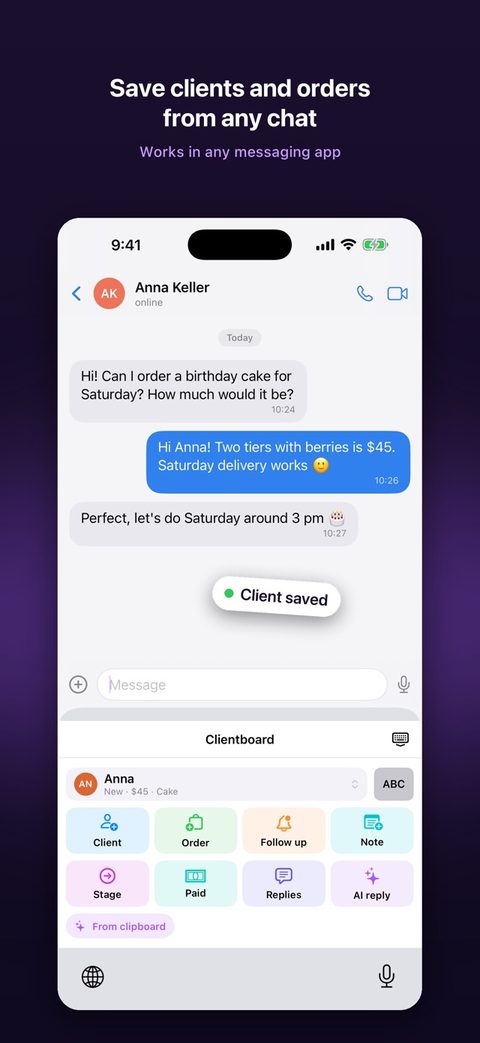
Capture inside any chat
Save a client, an order, a note, a stage change or a payment from the keyboard — in WhatsApp, Telegram, Instagram, Messages or any other app.
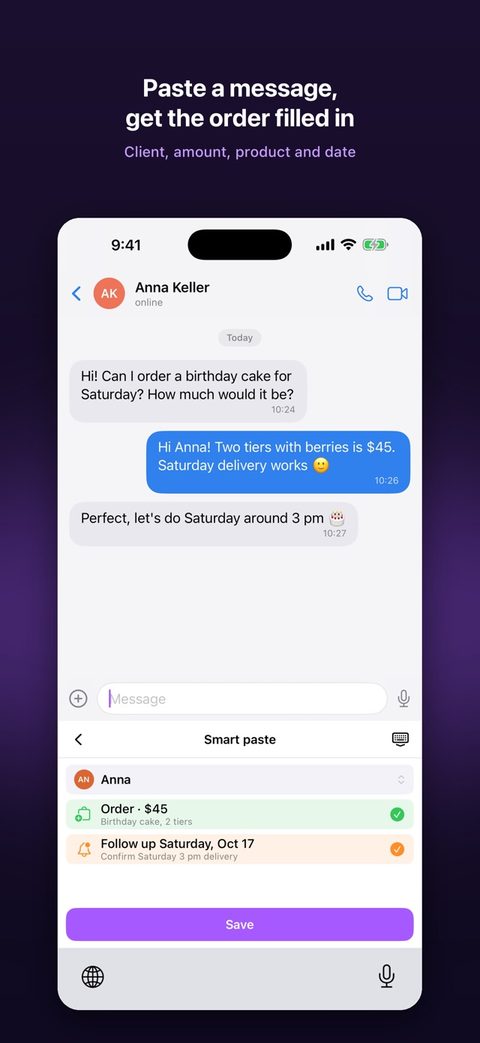
Smart paste
Copy a customer's message and tap “From clipboard”. Clientboard fills in the client, amount, product and follow-up date for you to confirm.
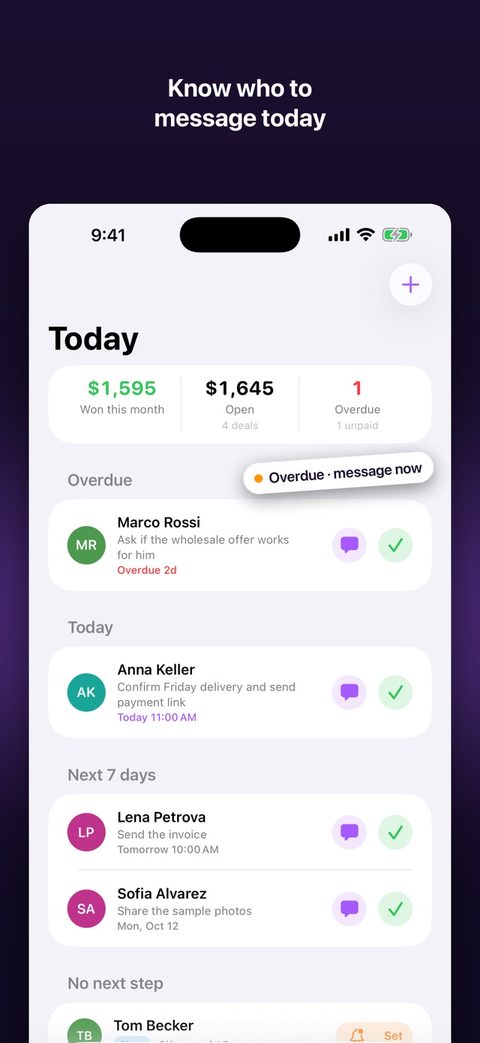
Today screen
Overdue follow-ups, today's, the next seven days and open orders with no next step, plus your won, open and overdue totals. One tap opens the chat.
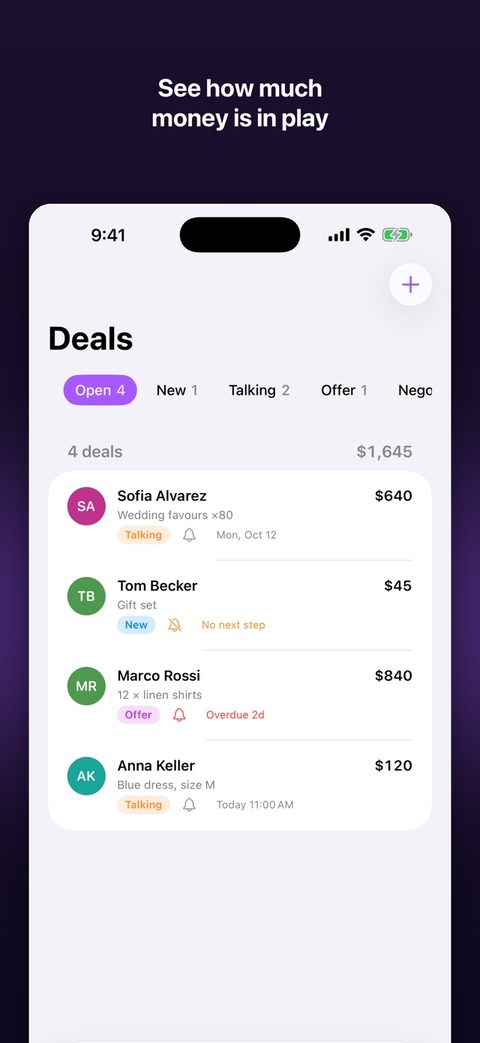
Deals
Every order with its stage, amount and paid status. Swipe to move it forward, mark it won, lost or paid. Totals per currency, never mixed.
Clients
Search and tag clients. Each one has a timeline of orders, notes and reminders, plus one-tap Message and Call. Import from Contacts without giving the app access to your address book.
Follow-up reminders
Pick Tomorrow, In 3 days or Next week. Mark done or snooze right from the notification.
Quick replies
Insert your saved answers in one tap, right from the keyboard.
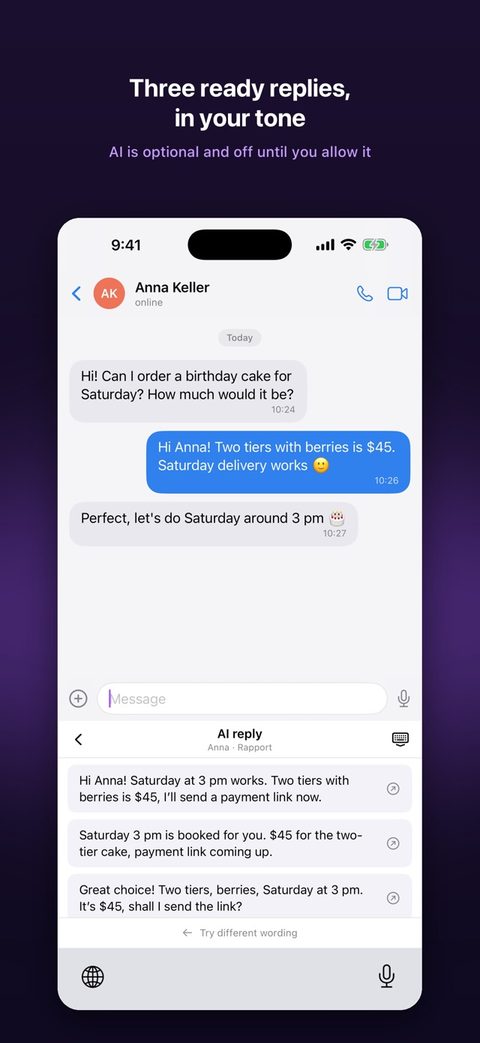
AI replies
Paste what the customer wrote and get three ready-to-send replies in the tone you choose: friendly, firm or closing. Off until you allow it.
Import and export
Bring in clients and orders from a spreadsheet and export them to CSV at any time. No account, no sign-up.
See it in action
Three steps, no copy-paste
- Switch to ClientboardWhile chatting, tap the globe key to open the Clientboard keyboard.
- Tap what happenedNew client, new order, follow-up or payment — fill one line and save.
- Open the app laterToday shows who to write to and how much is open. Tap to jump back into the chat.
Your customers' data stays yours
Stored on your iPhone
Clients, orders and notes live on your device. There is no account and no cloud copy.
AI only with your consent
Nothing is sent to an AI until you allow it. You choose each time you ask for a reply.
No tracking
No ads, no tracking, no selling of data. Only anonymous usage counts, never your content. Export everything to CSV any time.
PIN lock
Lock the app and the keyboard's client list with a PIN.
Read the Privacy Policy and Terms of Use.
Free during launch
Early users keep their features and get Pro at a big discount when it arrives.